


FaceLab: Future Face Aging App
3.88.98K Reviews
App Specs
- Version
- 4.5.94
- Updated On
- License
- Free
- Downloads
- 50,000,000+
- Developer
- Lyrebird Studio
- Categories
- Photography
- Platform
- Android, iOS
Screenshots
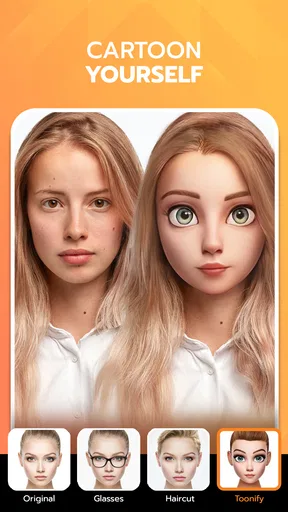
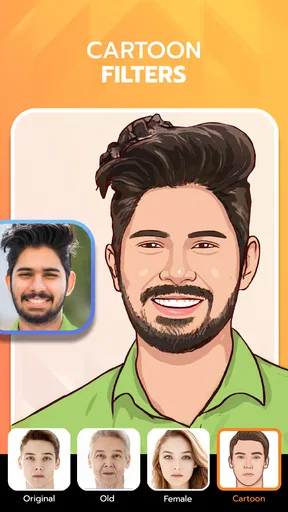
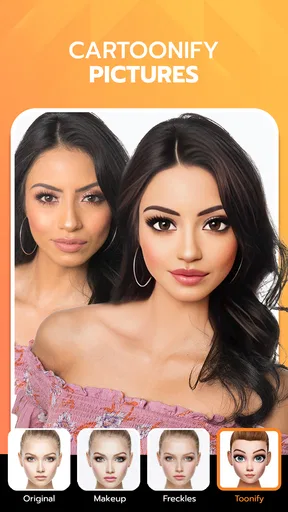
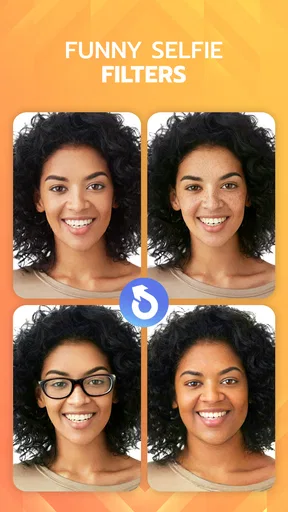
 Analysis by AppCompare
My main takeaway from FaceLab: Future Face Aging App is that it works best as a playful mirror, not a reliable preview of your future or a substitute for professional photo editing. I find the appeal easy to understand: a portrait can become a quick experiment in aging, hairstyles, or a different gender presentation, and the results give you something to laugh about or discuss. The more useful question is how to enjoy those transformations without treating them as predictions or making decisions from a single edited image.
That distinction matters because face effects can feel surprisingly convincing while still being interpretations of a photo. Lighting, expression, angle, and the source image all shape what you see. I would use the app to explore possibilities and spark a conversation, not to judge how I will actually look years from now or whether a real hairstyle will suit me exactly as shown.
A quick portrait experiment, with the right expectations
The app’s central strength is its focus: it turns a face photo into an easy starting point for visual changes. Rather than asking you to learn a full editing workflow, it invites you to try a transformation and react to the result. That makes it approachable when all you want is a quick, amusing comparison, especially with a clear portrait where the face is easy to see.
For a more useful test, I’d start with a front-facing photo, an unobstructed face, and fairly even light. That is not a promise that every effect will look natural; it simply gives the transformation a cleaner image to work with. If the first result looks odd, I would try another portrait before deciding the effect itself is the problem. A tilted head, strong shadow, or busy background can make a comparison harder to read.
There is also a small but worthwhile way to make the results easier to judge: change one thing at a time. If you are curious about an older appearance, look at that effect by itself before moving on to a hairstyle or another transformation. Keeping the original photo nearby helps you notice what has changed rather than letting several edits blur together. This is especially handy if you want to show a friend the result and explain what you were testing.
Where its transformations are most useful
I can picture using it during a casual chat when someone is choosing a new haircut. A friend could try a few hairstyle looks on a portrait and use them as conversation starters before bringing a general idea to a stylist. I would not treat the image as a precise salon preview: a digital effect cannot settle questions about hair texture, upkeep, or how a cut behaves in everyday life. It can, however, help narrow down what someone is curious about.
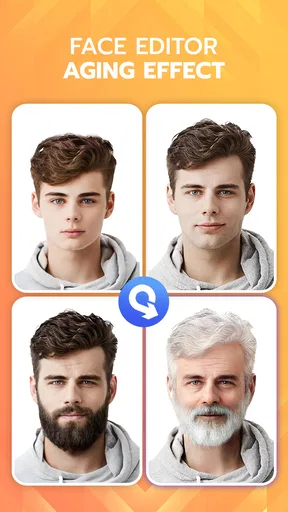
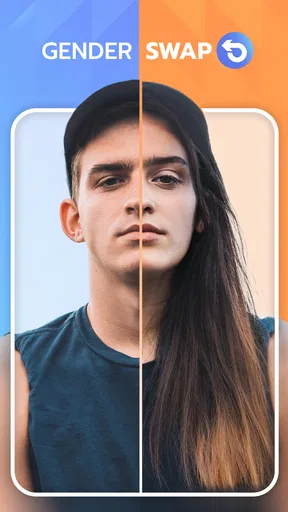
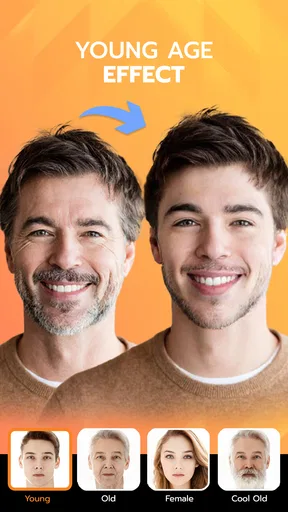
The aging effect is better suited to curiosity and entertainment than planning. Seeing a changed portrait can be a memorable way to talk about family resemblance or how people imagine themselves later in life, but it should not be mistaken for a forecast. Likewise, a gender-swap transformation can be an interesting visual exercise, but one edited face cannot capture anyone’s identity or experience. I think the best approach is to treat each output as one stylized possibility rather than a verdict about a person.
Worth Reading Before You Choose

EA SPORTS FC Mobile 26 Is a Bigger Football Game, but It Takes Time

Flipboard Shows What News Apps Must Do Beyond the Feed

Switching to Android Auto Means Rethinking Your Driving Routine

Google Calendar Makes a Crowded Week Easier to Manage

Ludo King Makes the Most of the Minutes Between Plans

Baby Panda World Brings Quick Play to Modern Phones, but Its Game Library Feels Busy
Compared with a general-purpose photo editor, this app is more immediately centered on face transformations and less suited to careful, hands-on retouching. A conventional editor is the better choice if you need precise control over individual adjustments or want to polish a photo for a particular purpose. A salon consultation is more useful when the question is how a haircut will work with your actual hair. FaceLab sits in a different lane: fast visual play, with enough practical inspiration to help you describe a look you might want to explore.
First Impressions and Interface
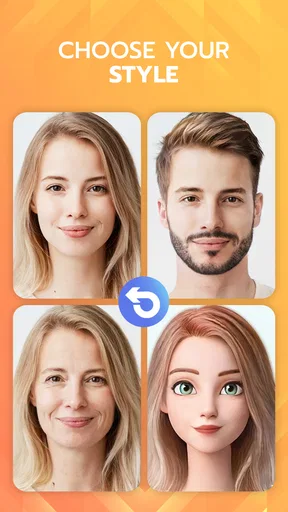
Upon downloading FaceLab, I was immediately drawn to its sleek and intuitive interface. The design is simple yet effective, making it a breeze to navigate. Whether you're tech-savvy or a bit of a technophobe, you’ll find your way around this app with ease. The main screen presents you with a variety of options, from aging your face to trying out new hairstyles or even changing your gender appearance.
Features Galore
Now, let’s dive into the fun part – the features. First off, the aging feature is quite impressive. You upload a photo, and the app uses its advanced algorithms to project how you might look in the future. It’s both fascinating and a little eerie to see your older self staring back at you! The app doesn’t stop there. You can also try out different hairstyles, and believe me, it’s way cheaper than an actual salon visit.
One feature that stood out was the gender swap. It’s incredibly detailed and offers a new perspective, allowing you to see yourself in a completely different light. It’s like having a mini Photoshop in your pocket, but without the steep learning curve.
Performance and Usability
Performance-wise, FaceLab is smooth and responsive. I didn’t encounter any lag or crashes during my time with the app, which is always a huge plus in my book. The transformations are quick, and the results are surprisingly realistic. It's clear that a lot of effort has gone into making the app both user-friendly and efficient.
Another thing I appreciated was the app’s ability to save and share results easily. Whether you want to keep your new look for yourself or share it with friends on social media, FaceLab makes it a hassle-free process.
What to consider before making it part of your routine
Because the app is built around personal portraits, I would take a moment to choose an image I am comfortable using and sharing. A funny transformation can feel private one minute and become a social post the next, so I would check the saved image before sending it anywhere and make sure the person in the photo is happy for it to be shared. That is a simple habit, but it avoids turning a harmless joke into an awkward surprise.
It is also worth checking the cost model before settling into repeated use. FaceLab is free to download, while optional in-app purchases range from about two dollars to about sixty dollars per item. I would explore the free experience first and only consider a purchase if I clearly understand what it adds and expect to use it. That keeps a casual experiment from becoming an impulse buy.
Lyrebird Studio makes this photography app for a broad audience: it has an Everyone age rating, and it has attracted over fifty million installs. It carries an average rating of four out of five from around seven hundred eighty thousand ratings, alongside about eight thousand five hundred written reviews. Those figures suggest wide interest, but they do not guarantee that every effect will suit every face or that each person will like the results. The current version is 4.5.72, and the app requires Android 7.0 or later.
Who will enjoy it, and who may prefer another tool
I would recommend trying it if you like playful portrait effects, enjoy comparing possible looks with friends, or want a quick visual prompt before discussing a style change. It is particularly well suited to someone who values immediacy over detailed editing controls. The low barrier to trying an effect is the point: you can satisfy a moment of curiosity without turning the activity into a serious editing project.
I would skip it if you need dependable predictions, exact hairstyle previews, or fine control over a finished image. Someone preparing a formal portrait will likely be better served by a dedicated editor, while anyone making a major appearance decision should rely on real-world advice and examples rather than a face filter alone. If you are uncomfortable sharing portrait images with apps, it may also be better to choose a different activity. I make that call based on my own comfort level, rather than assuming a transformation app is the right place for every photo.
One everyday way to use it is to make a small, private comparison before a weekend conversation: choose a well-lit portrait, try one hairstyle effect, and save the result only if it helps explain the look you have in mind. You can then show the image as inspiration, not as proof that the cut will look identical in person. For a more playful evening, the aging effect can be shared with friends who are in on the joke. In both cases, a little context keeps the image from being taken more seriously than it deserves.
Why You Should Try It
If you’re like me and love experimenting with new looks without any commitment, this app is a must-try. It’s perfect for a good laugh with friends or a serious look into the future. Plus, it’s a great way to test out potential changes before committing to anything drastic in real life.
What really makes FaceLab stand out is its combination of fun and functionality. It’s not just about the laughs; the app offers a genuinely unique way to explore different aspects of your appearance in a safe and playful manner. I found myself coming back to it time and again, just to see what else I could try.
In conclusion, FaceLab: Future Face Aging App is more than just a gimmick. It's an engaging tool that allows you to explore future possibilities and have a bit of fun along the way. Whether you’re curious about aging, interested in trying out new styles, or just in it for the laughs, this app is definitely worth a download. So, go ahead, give it a whirl, and see what the future holds for you!
Pros
- Easy to navigate interface.
- Realistic aging predictions.
- Fun filters and effects.
- Quick processing time.
- High-quality photo outputs.
Cons
- Limited free features.
- In-app ads can be intrusive.
- Requires internet connection.
- Subscription can be pricey.
- Occasional app crashes.
FAQs for FaceLab: Future Face Aging App
What is FaceLab: Future Face Aging App?
FaceLab is a fun and innovative app that allows users to explore how they might look as they age. Using advanced AI technology, the app provides realistic aging simulations, allowing users to see potential future versions of themselves. It's a great tool for entertainment and curiosity, but also offers features for enhancing and editing current photos.
How accurate are the aging predictions in FaceLab?
While FaceLab uses sophisticated AI algorithms to generate aging effects, it's important to note that the results are meant for entertainment purposes. Factors like lifestyle, genetics, and environment can significantly affect aging, and the app doesn't account for these variables. Therefore, the predictions should be taken with a grain of fun rather than absolute accuracy.
Is FaceLab free to download and use?
FaceLab offers a free version that includes basic features and aging effects. However, for access to advanced features, such as additional filters and editing tools, users may need to purchase the premium version or subscribe to a monthly plan. In-app purchases may also be available for specific features.
What privacy measures does FaceLab implement?
FaceLab takes user privacy seriously by adhering to strict data protection policies. The app requires access to your device’s camera and photo library, but it does not share personal images without consent. Users should review the privacy policy to understand how their data is collected, used, and stored.
On which platforms is FaceLab available?
FaceLab is available for both Android and iOS devices. It's designed to run smoothly on most smartphones and tablets, ensuring a user-friendly experience. Users can download the app from the Google Play Store or the Apple App Store, depending on their device's operating system.


